


Server
The Mighty Production RIP Server
01 RIP Server
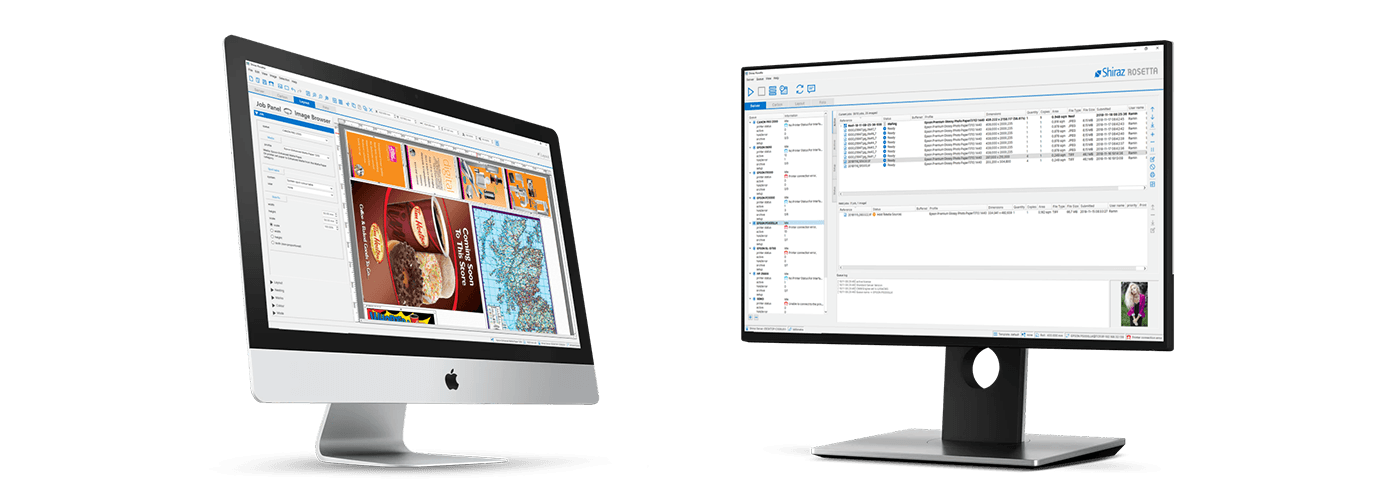
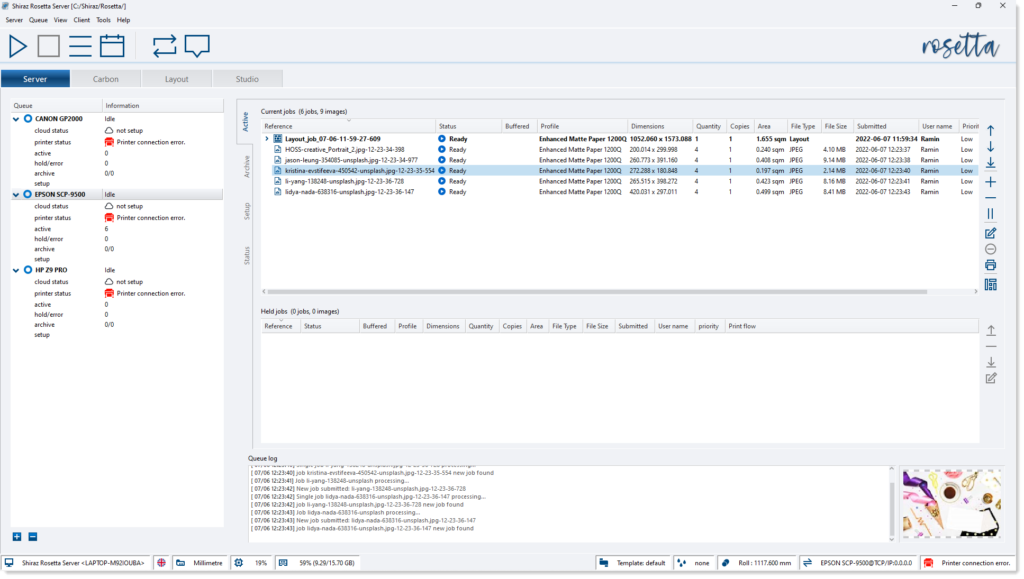
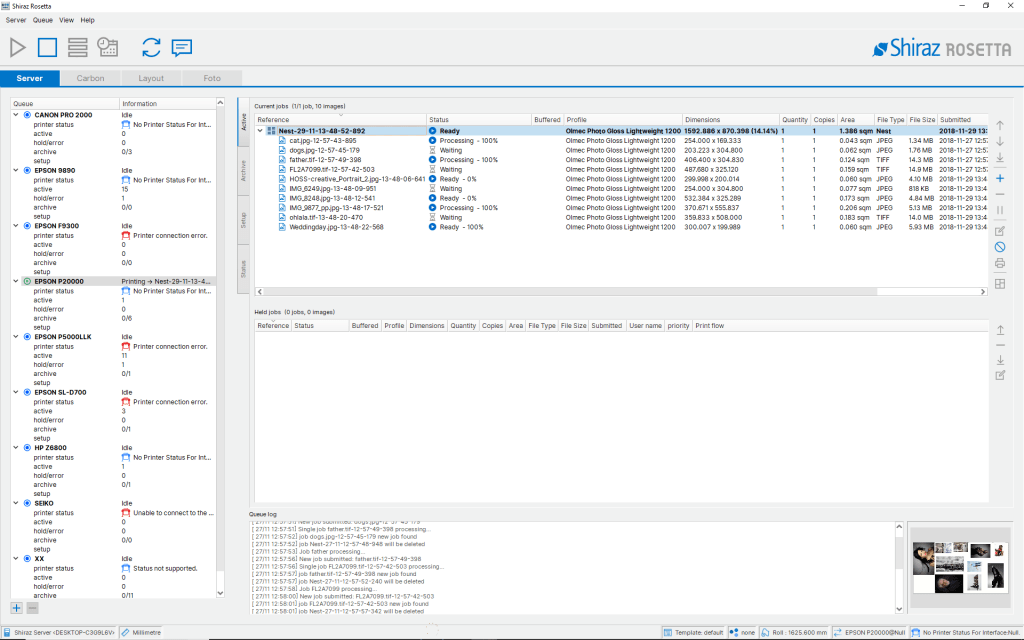
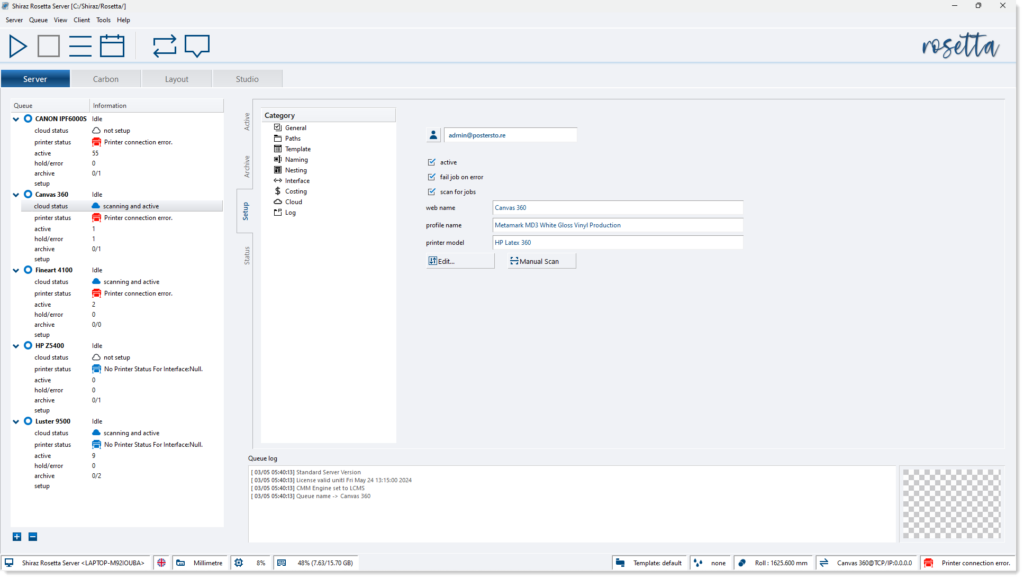
Jobs submitted from various Shiraz client applications to the available printer queues are managed and processed for printing by the Server. Print jobs can also be submitted to the queues by utilising the hot folder system or direct printing from the third party design applications. Each queue can be connected to a separate printer or a number of queues can be configured for the same printer with different parameters assigned to each. All incoming jobs are checked for various conditions and issues and are held or errored accordingly. Jobs that are sent for automatic nesting on the same media are efficiently grouped and nested together. Job activities are all logged for users to examine and utilize.
02 Design Client
Shiraz Rosetta solution includes a number of client applications specifically created to cater for the various printing markets such as signage, display, photo, canvas gallery wraps, fine art, textiles, GIS etc. They include specialist features that enable users to easily and quickly create complex print jobs that are designed for their particular production setup. Any number of client workstations can be configured on the network for submitting print jobs to any of the printer queues on the remote server. All incoming jobs are then automatically managed and optimised for best workflow by the server.

03 Jobs Nesting
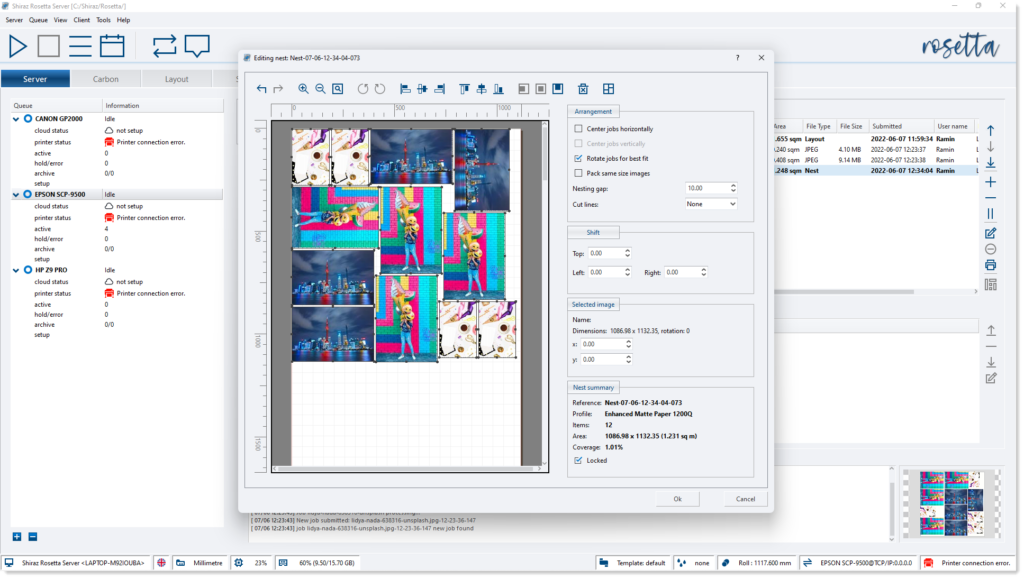
The Shiraz RIP Server employs a very sophisticated nesting algorithm that can be tailor made to suit different production requirements. The nesting layout is calculated based on the current roll or sheet size. Only jobs for the same media type and printing mode are nested together. The minimum area coverage, number of jobs or time elapsed can be set by users to further control their production needs. The nesting system is dynamic, meaning that the server will automatically update the nesting arrangement as new jobs are submitted or various printer parameters are changed. Furthermore the nesting layout can visually be edited by users if required. The default nesting can be set to either row based or area based depending on the users preferences.
04 Colour Module
The application for users who require their own media profiling and editing capability. This tool can be used to create or edit media profiles as well as spot colour tables and colour correction curves. All printer colour spaces with any number of ink channels are supported. A logical and step by step approach to the various profiling stages of ink limiting, linearization, print mode settings etc. ensures a quick and efficient method for profiling. Proprietary ink limiting technology that reduces ink usage to a minimum without compromising overall colour gamut coupled to advanced screening ensures highest quality output possible. All industry standard measuring instruments are fully supported.

05 Superb Screening
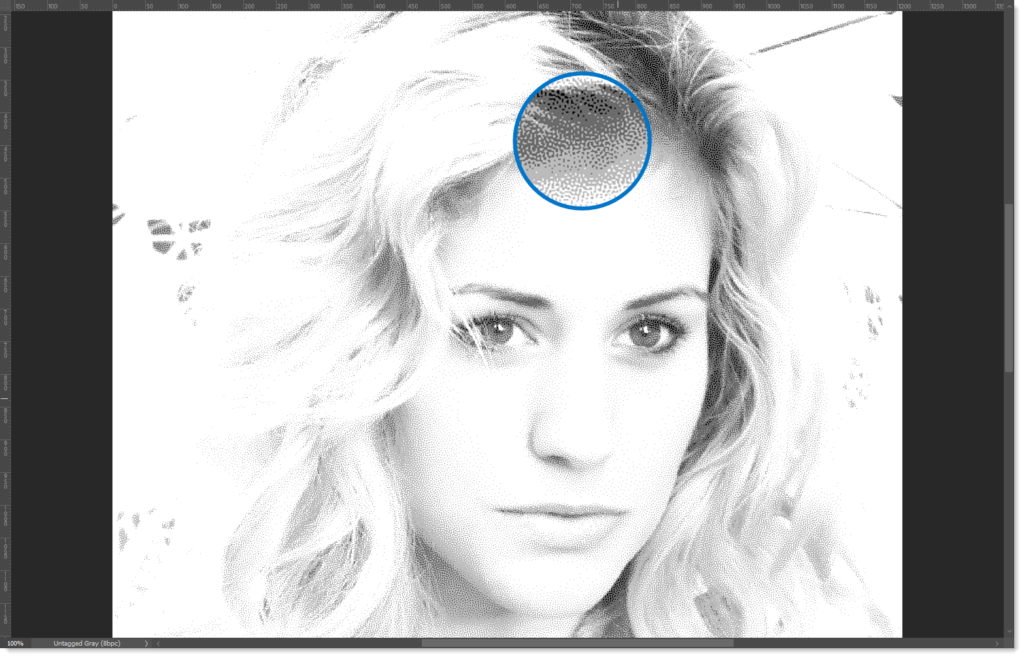
The Rosetta RIP engine employs a number of propriety halftoning technology to address the various printing processes in the field. These include single and variable dots up to 3-bits per channel with ability to fully control the thresholds and quantizers for dot parameters. Coupled to the Adobe licensed 16bit rendering rasterizer and the 64bit colour management module it results in the highest quality output. The various screening options include our unique 16bit FM with dot size control as well as Shiraz error diffusion with blue noise characteristics and traditional halftones with various Dot shapes, LPIs and Angle options. These complex processes are fully optimised using advanced software engineering techniques to work smoothly, efficiently and blazingly fast.
06 Hot Folders
For automated workflows the versatile and powerful hot folder features of the Server can be utilised for all printer queues on the system. To help and streamline unattended printing through the Shiraz RIP Server all job parameters can be configured and assigned to specific folders on the system. Once created the users can then simply drag&drop or save images into these folders where they will be picked up automatically by the corresponding printer queues on the Server and processed and printed according to the job parameters designated. Any number of these hot folders can be set up for the same queue or queues on the Server. It is also possible to configure these folders to process images based on their filename format.

07 XY Cutting
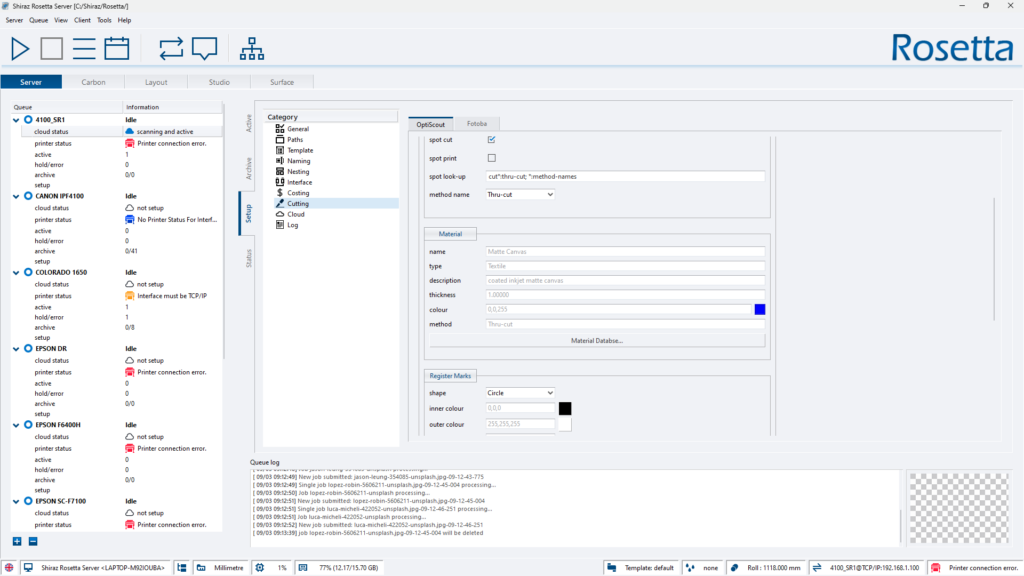
The Rosetta RIP can be configured for print & cut workflows where the cut paths can be automatically generated based on boundary areas of images or generate the actual cut paths from designated vector data in the PDF or EPS files. The cutting module is designed to be fully compatible with the OptiScout digital cutting solutions and OEMs. All the features offered by this system is supported. The Fotoba XY cutters are also fully supported and Rosetta RIP can be configured to add the required tram markers to single or nest jobs. The system will automatically pack similar size jobs together for fast and efficient trimming.
08 Load Balancer
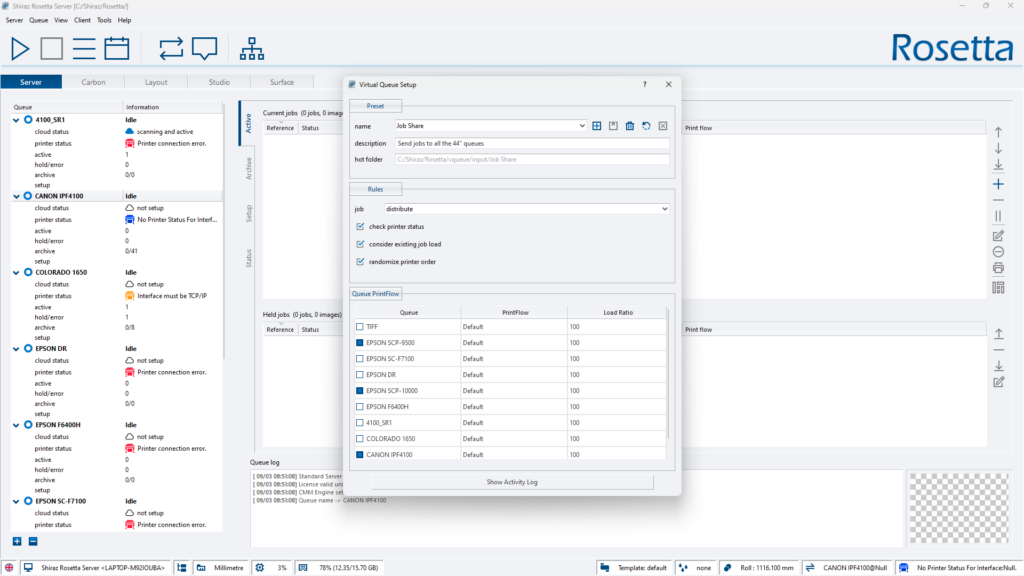
This intelligent and versatile load balancing module is designed to be employed in workflows that require the quickest and most efficient method of handling large number of incoming jobs. For operations that require an automatic job distribution and duplication across their printing devices, this feature is an invaluable option. Virtual printer queues can be configured to include any of the available physical printer queues available on the Rosetta Server in a ‘group’. Each of these queues can be configured with their own operational parameters and printing configuration. Once a Virtual Queue has been configured then its a matter of drag & dropping images and folders onto them using the Carbon client app or the hot folders system.
09 Printer Status
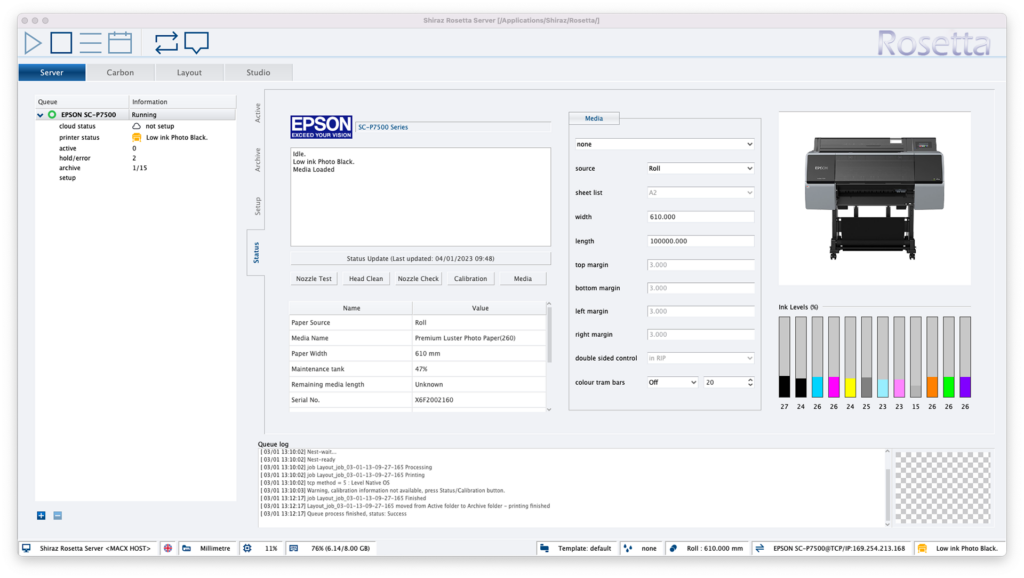
Detailed information about the connected printer and various settings for the media type and dimensions are found in this window. There are also remote printer commands that execute different procedure such as head cleaning and media calibration on the printer. The system constantly monitors and updates the information displayed here. The information is also used by the system for production management and media matching. Any serious problem reported back from the printer is immediately highlighted to the user for urgent actions, these include media and ink out, door open, connection problem etc.
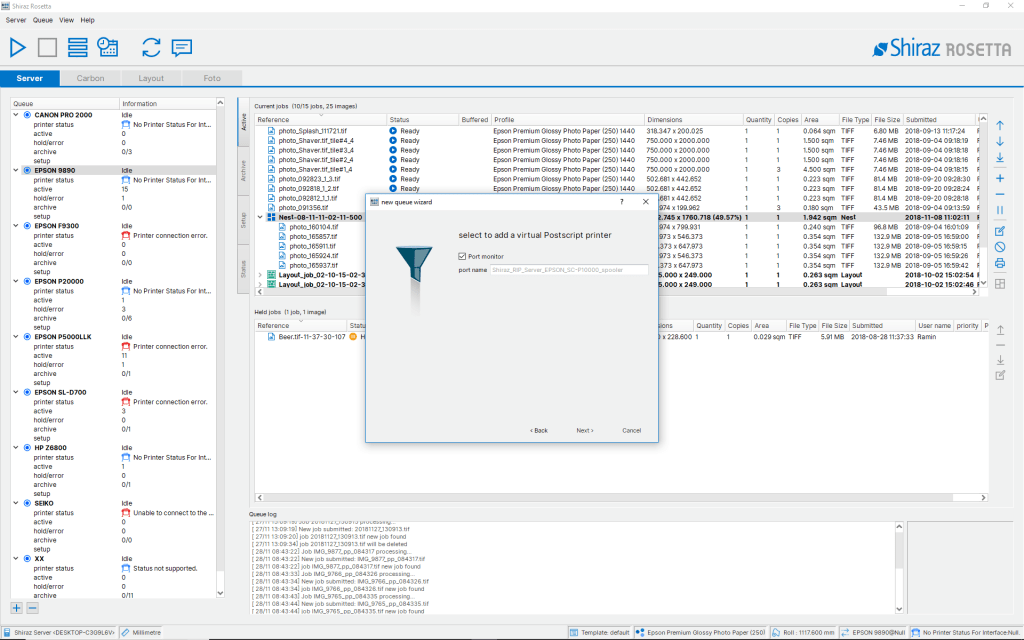
10 Port Monitor
This feature of the RIP Server allows any users on the network to print directly from their favourite design application to the required large format printers connected to the Server. The virtual Postscript printer driver looks and behaves like any standard operating systems printer spooler. The virtual printer drivers are automatically created as part of the queue configuration or when setting up the hot folders for the printer queue. A number of basic job settings can be set in the print dialog that the Server will action accordingly. These include parameters such as quantity, scale, media type etc.
11 Hyper RIPing
Using the latest software technology available and advanced software engineering techniques to take advantage of the latest generation of multi-core and 64-bit multi processor hardware to fully optimise and spread the RIP workloads. Multiple processes are automatically kicked off to RIP a number of jobs simultaneously for most efficient use of the available resources. Jobs in the queues are processed ahead while printing current job to the connected devices. All this translates into a super fast and reliable printing engine that can take on the biggest printing tasks easily and effortlessly. This combined with the advanced architecture of the Shiraz RIP system allows you to grow your printing business in a scalable and economical manner.
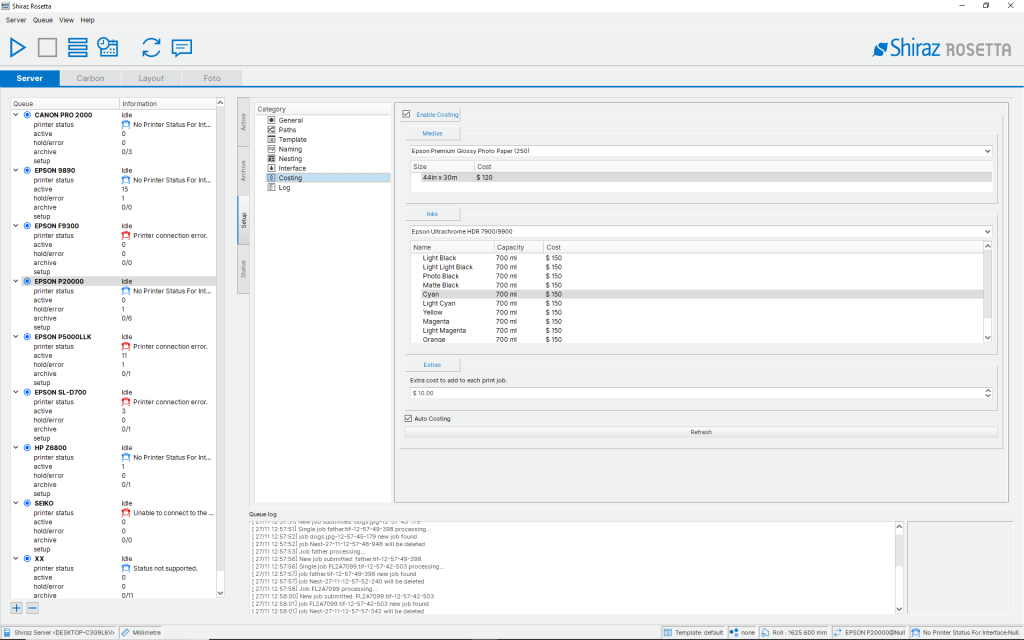
12 Job Costing
Using the actual and accurate information for ink and media usage reported back from the printer the system informs and records the job costing for printed jobs. Costing are calculated based on values entered by users in the system for all consumables and other related costs. Once jobs have been printed then the RIP will automatically track and query the printer for the actual media and ink consumption and calculates the exact costing. Additional fixed overhead costs can be configured if required. The costing details are stamped into the jobs and can be queried at any time if required.
13 Print Marks
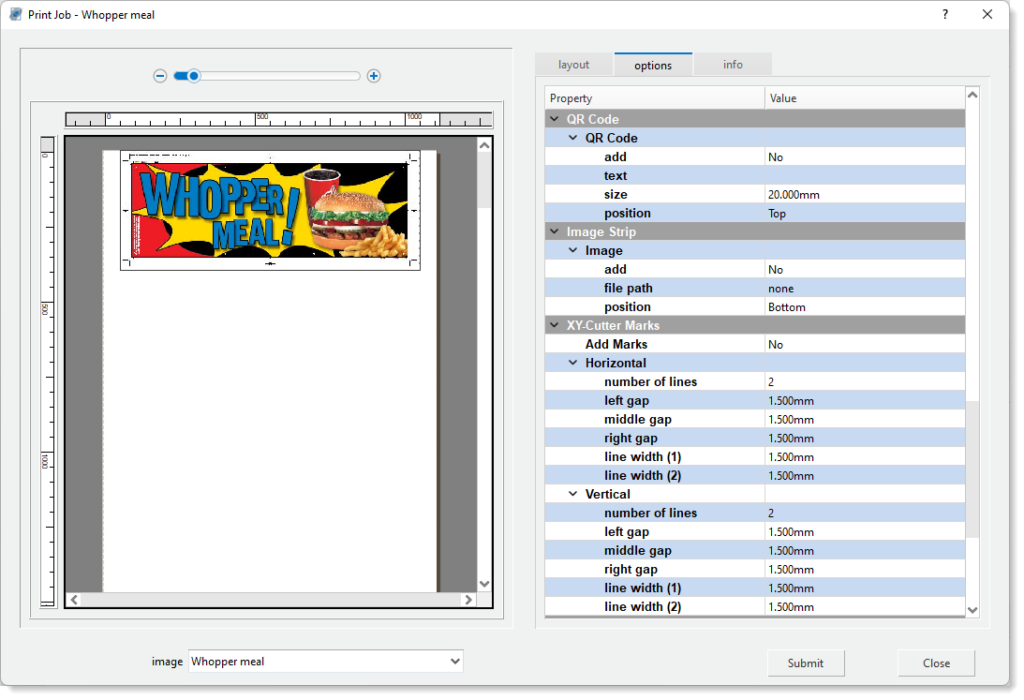
Place various type of crop marks and job labels as well as Fotoba marks for automated XY trimming. The RIP will automatically nest similar size jobs and add the XY trim lines to the arrangement for efficient and fast cutting out of the images. User can define the various parameters available to fully customise it. For print and colour proof verification add your required confidence image bar to the print. User defined frames of any colour and size can be added to the boundary of the images. Add your own watermarks to the printed area for security and protection of the print.
14 Tools Utility
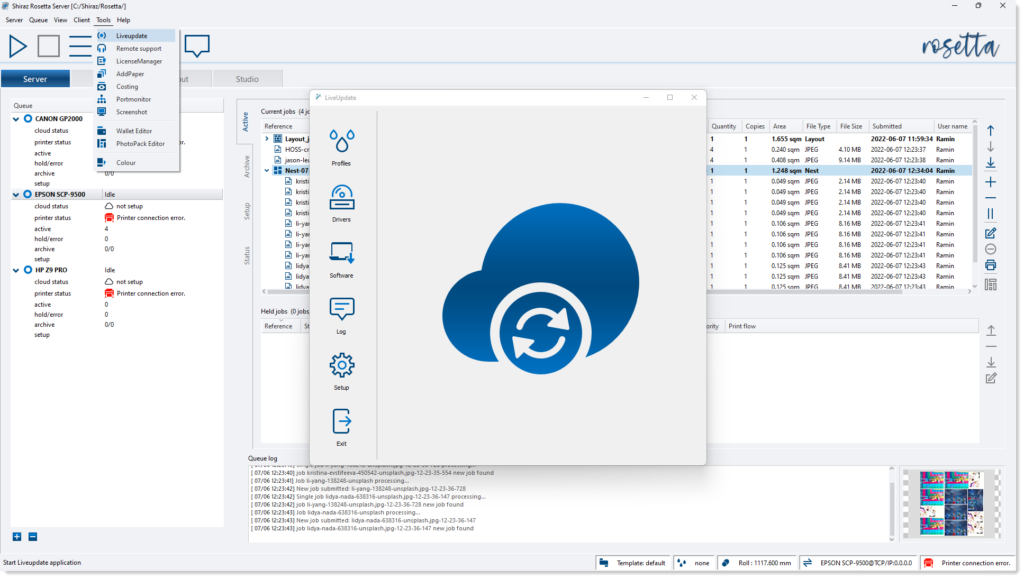
To help the smooth and efficient running of the Shiraz Rosetta system included are a number of applications that carry out specific functions with this regards. These include automatic updating of media profiles, printer drivers and core software. Checking, updating and managing software license. Built-in remote connection help assistance for fast and efficient response.
15 Cloud Interface
All the sophistication and production features of the Shiraz RIP Server can be made available to customers who require a solid and versatile back-end solution for their online businesses. This is all made possible through the unique Open Server Interface (OSI) technology developed over many years that powers major online print businesses throughout the globe. We are able to supply the complete end-to-end solution or just the production back-end through our powerful API system. Integration to industry standard ecommerce solutions such as Magento, Prestashop and Woocommerce are all possible. Additional features such as secure streaming technology of high value digital assets are also available.